
Modal dialogs
Modal dialogs present popup information to inform users of important information and sometimes allow the user to take action.
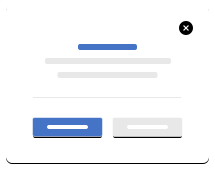
Default Modal
This is the base modal
1<div class="modal" tabindex="-1" id="myModal" style="position: static; display: block;">
2	<div class="modal-dialog">
3		<div class="modal-content">
4			<div class="modal-header">
5				<h5 class="modal-title">Modal Visual</h5>
6				<button type="button" class="btn-close" data-bs-dismiss="modal" aria-label="Close"></button>
7			</div>
8			<div class="modal-body">
9				<p>Show modal content here, supports any tipe of previously styled component.</p>
10			</div>
11			<div class="modal-footer">
12				<small>Modal footer copy example.</small>
13			</div>
14		</div>
15	</div>
16</div>
Accessibility
Make it clear what this modal does for the user.
-
What to do with modals
-
What not to do with modals
Classes
Complete list of all CSS classes for the component.
| Name | Class |
|---|---|
| Default Modal | modal modal-default |